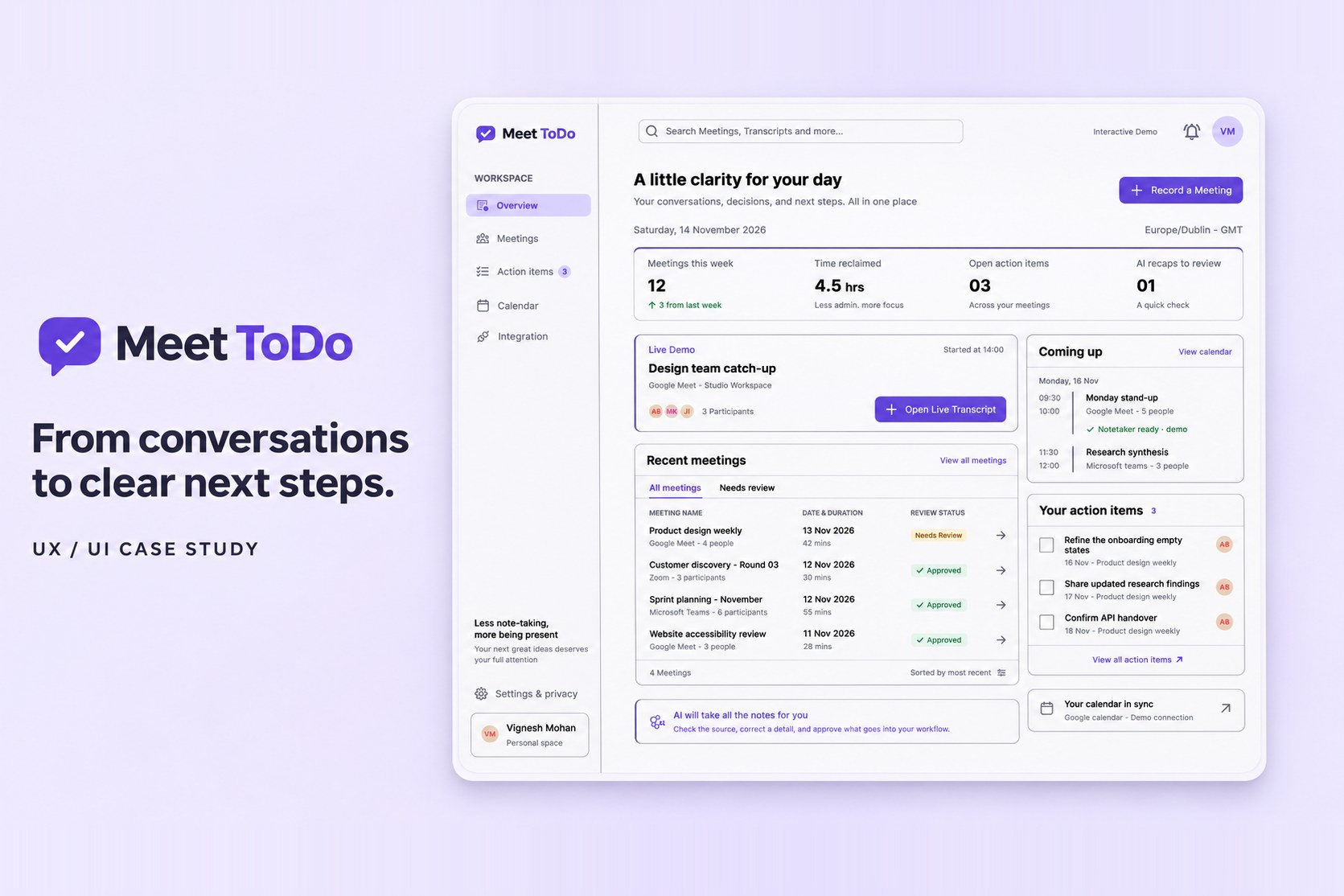
A transcript isn't the same as an agreed next step
Hybrid product teams can leave a meeting with a transcript but still lack a dependable answer to three questions: What did we decide? Who owns the next step? When is it due?
The challenge is not simply capturing more conversation. It is converting an informal discussion into commitments that people can verify and act on. A suggestion can be mistaken for a decision. A tentative date can become a firm deadline. A speaker can be identified as the task owner even when they were describing someone else’s work. When meeting notes, task boards and calendar events are separate, these errors travel into the team’s workflow, and the organiser must compare sources, correct the record and chase clarification.
Focused problem statementMeeting organisers and contributors in small hybrid product teams need a quick way to verify AI-generated decisions and action items against their source, because an inaccurate owner, deadline or commitment can create misleading work instructions and additional follow-up.
This is a problem hypothesis to validate, not a measured finding about Irish workers.
How might we help teams move from “the AI captured this” to “we have checked and agreed this” without forcing them to reread an entire transcript?
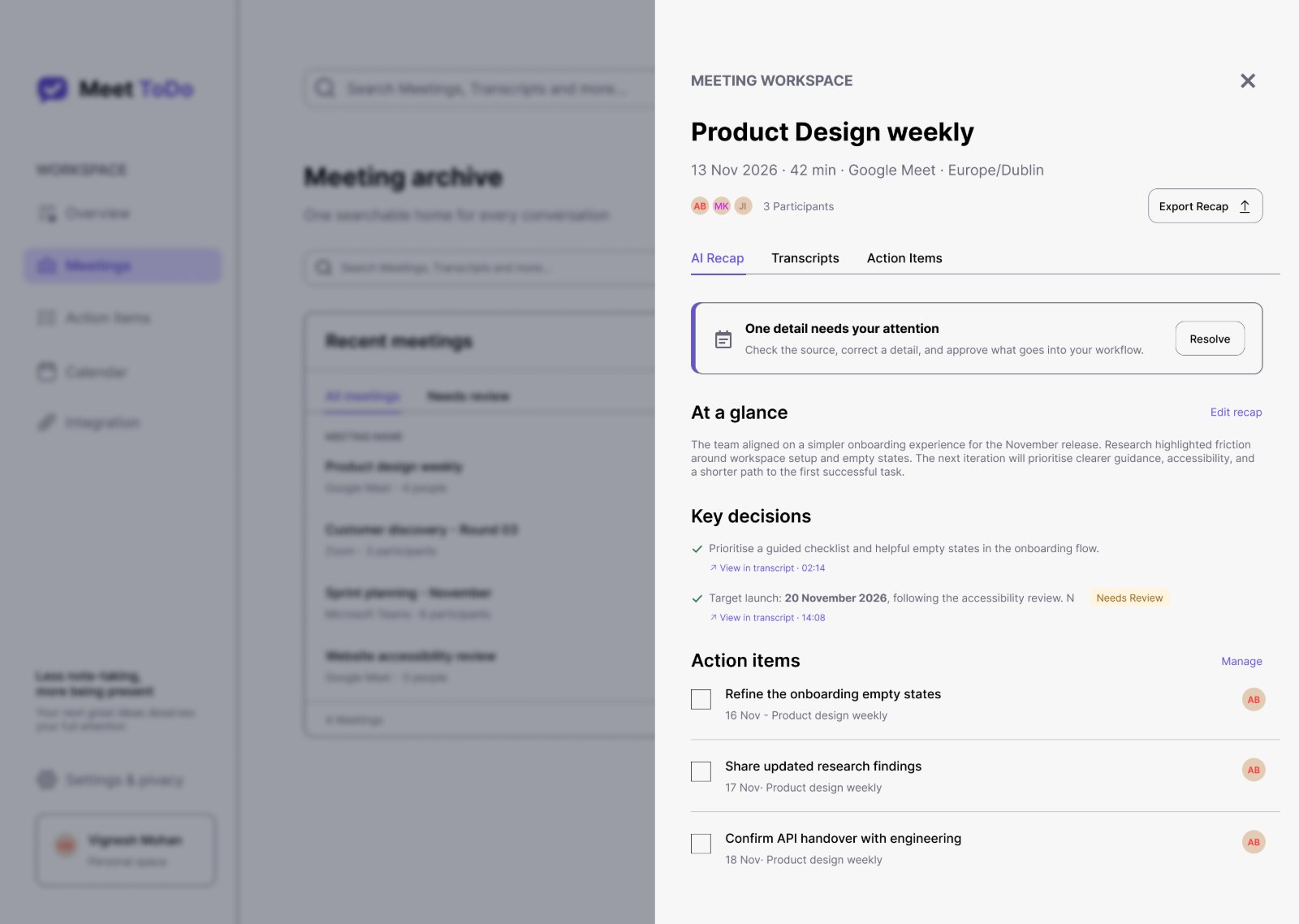
During a product meeting, someone says the release will happen on 24 November, after an accessibility review. The generated recap records 20 November. Meet ToDo draws attention to the detail, lets a reviewer inspect its source, and updates the linked decision before approval. The current prototype demonstrates this with a seeded error and a written source note; it does not detect an error from real audio.
One review workspace for meetings and follow-ups
Meet ToDo is a desktop-first meeting recap and task-tracking concept. It brings meeting context, suggested decisions and follow-up tasks into a single review workspace. The core journey is capture → review → correct → approve → act.
Meet ToDo helps teams turn meeting discussions into reviewed decisions and accountable next steps.
AI takes notes. You have the final say.
The name combines Meet, the source of the conversation, with ToDo, the work that follows. The visual identity uses a conversation bubble and a checkmark to connect these two moments. Tagline: Turn conversations into clear next steps.
The concept is positioned around a visible review process. It does not claim to invent transcription, summaries, source links or task integrations — competitors already offer several of these. The design opportunity is to make verification and task handover understandable within a focused experience.
The prototype does not place calls, access microphones, generate real AI summaries or send tasks to external accounts. Its local edits are stored in the browser.
Use English (Ireland), dates such as 16 Nov 2026, 24-hour time and the Europe/Dublin time zone. Production time handling must respect seasonal clock changes rather than permanently labelling Dublin as GMT.
Relevant considerations include understandable recording notices, data handling, accessibility and localisation. The Irish Data Protection Commission’s principles of transparency, accuracy, minimisation and retention informed the proposed controls; a checkbox alone does not establish a lawful basis or make the service GDPR compliant.
A Double Diamond, with the evidence status stated
The project follows a Double Diamond-inspired structure. Each stage separates work already represented in the concept from research and implementation still required.
Review official competitor documentation; map likely meeting-to-task problems
Output — Competitor analysis and research hypotheses
Secondary research completedNarrow the audience and identify risky handover moments
Output — Problem statement, jobs to be done, assumptions
Requires primary validationExplore navigation, dashboard hierarchy, correction flows and task tables
Output — IA, flows, visual system, prototype
Concept developedTest retrieval, correction, ownership and recovery tasks
Output — Usability findings and prioritised iteration
Study proposed; no resultsImprove the prototype based on observed issues
Output — Revised interaction and visual designs
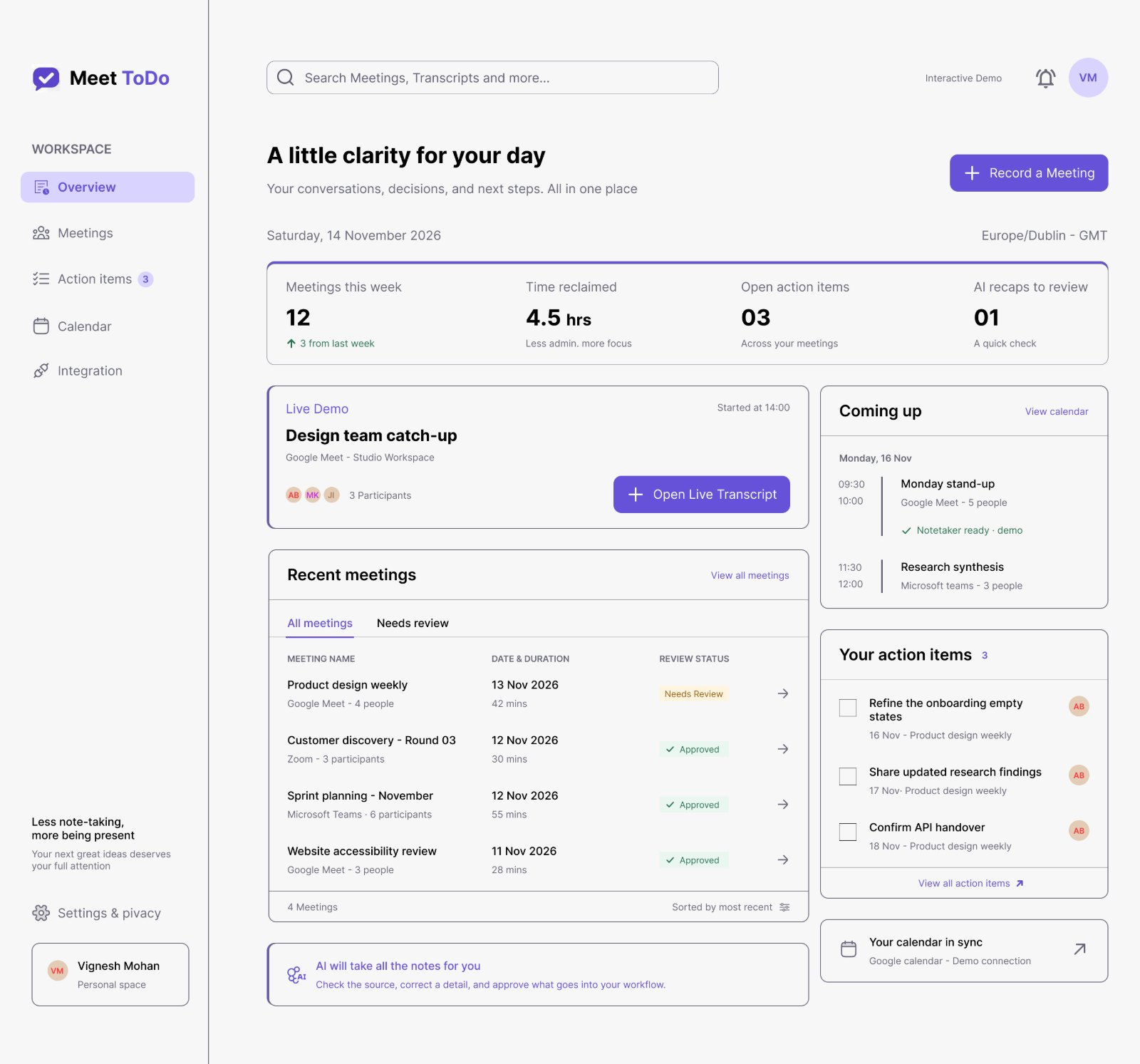
Some iterations doneThe dashboard first provides orientation, then the current meeting, recent conversations and next actions. A right-hand panel supports upcoming meetings and personal tasks — separating “what is happening now” from “what needs my attention”.
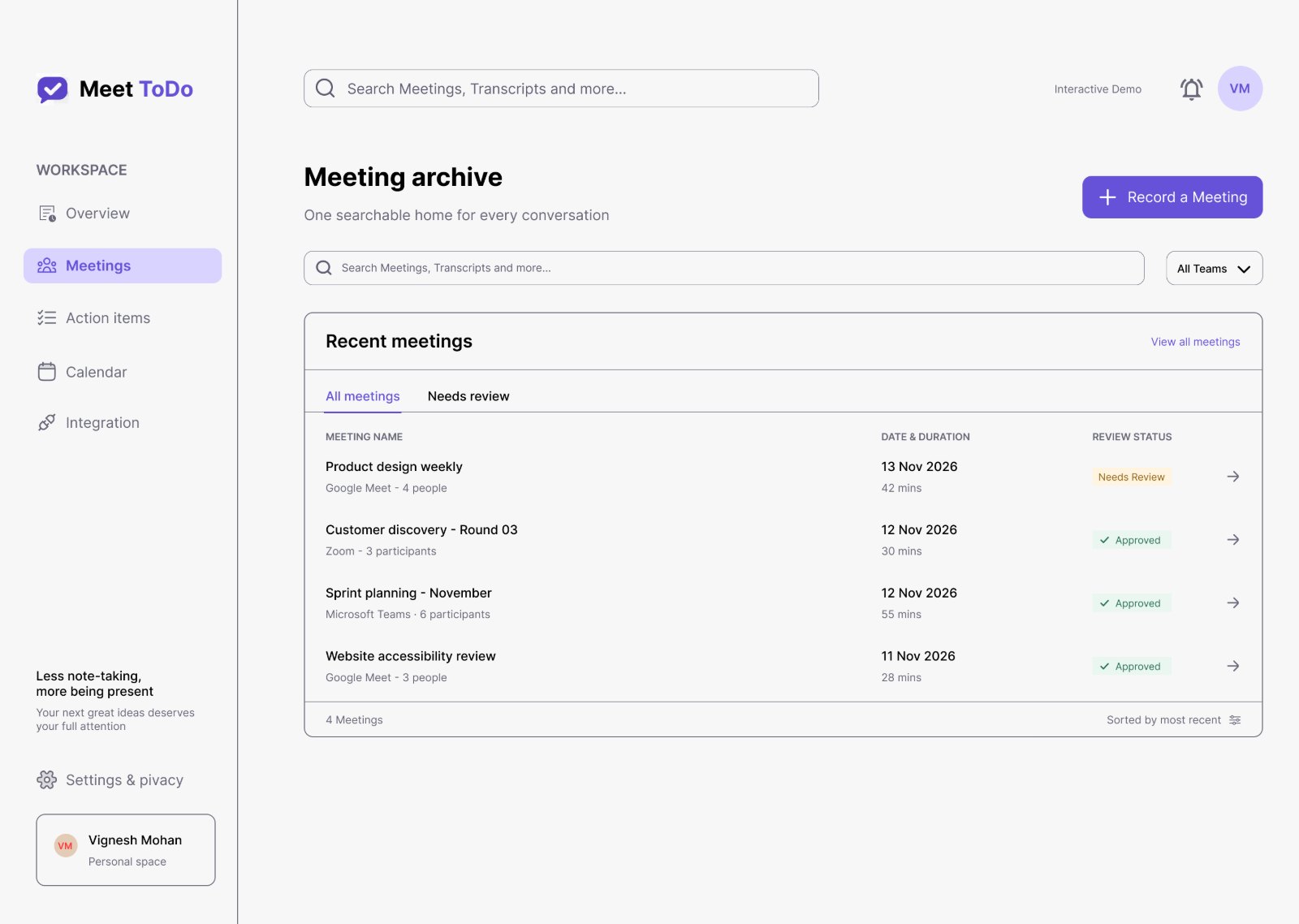
Meeting records were reorganised into labelled columns with subtle row shading and dividers. Action items gained distinct owner, due-date and status columns — a design iteration from feedback, not a measured improvement.
The borderless search was hard to notice. It gained a defined fill, stronger border, search icon and visible focus — specified at 560 × 48 px, 14 px text, 10 px radius.
“Needs review” and “Reviewed” labels show a recap’s state. Approval should identify who reviewed the content and which version they approved.
A decision links to the relevant transcript moment, so users inspect the surrounding context instead of trusting an isolated sentence.
The Figma grid is a recommended layout specification, not a claim that every dimension matches the responsive implementation.
Target WCAG 2.2 AA and verify it with actual checks. Use semantic table headings, persistent field labels, visible keyboard focus, logical focus movement, and status text alongside colour. Allow text zoom and avoid hiding essential actions on smaller screens.
The current prototype includes some 9–11 px metadata; the next pass raises important labels to 12–14 px. The visual checkbox can stay small, but its target needs sufficient size or spacing — W3C’s AA criterion is 24 × 24 CSS px, with 44 × 44 a useful larger target. Modal focus and screen-reader announcements need dedicated verification.
Six participants — three meeting organisers, two individual contributors, one team administrator. 35–45 minute sessions using fictional meeting material.
Record completion, time on task, critical errors, assistance and a post-task ease rating. A seeded wrong deadline and ambiguous ownership test whether people check the source. No completion rates, SUS scores or time savings have yet been measured.
Defined by their role in the workflow
These groups are defined by their role in the workflow, rather than by age or broad demographic labels.
Product managers, project leads, design leads and agency delivery managers organising recurring meetings.
Need — turn discussions into reviewed commitments without reconstructing the meeting.
Review recap → correct decisions → confirm owners and datesDesigners, developers, researchers and other contributors receiving follow-up work.
Need — understand what is expected and why, with a way to challenge incorrect assignments.
Open assigned task → inspect source → confirm or request correctionWorkspace administrators, operations leads and authorised client stakeholders.
Need — manage access and integrations, or consume relevant approved outcomes.
Configure policy or view a permitted recapIreland-based teams of roughly 5–30 people that already use video meetings and a task-management tool. A proposed beachhead, not a measured market segment.
High-stakes clinical or legal records, employee performance scoring and autonomous decisions about people. The concept is designed for routine product and project collaboration.
“AI notes plus tasks” isn’t a differentiator
Desk research reviewed official product documentation for Otter.ai, Fireflies.ai and Fathom — a capability and workflow comparison, not a hands-on usability benchmark. Features vary by plan and change over time; sources were consulted on 16 November 2026.
Source-linked actions and editing are not unique to this concept. Meet ToDo’s proposed emphasis is a short, explicit review path: identify a questionable detail, inspect its evidence, understand the change and confirm the handover.
This is an interaction-design hypothesis, not proof that other products lack the workflow or that Meet ToDo performs better. The next study should give participants the same correction and handover tasks in each product and compare recovery, clarity and completion — not visual preference.
A research plan ready to run
The research below is prepared, not yet conducted. Objectives, recruitment, an interview guide and a survey instrument are ready to use in real sessions.
Recruit 6–8 interviewees across organisers and contributors, plus 1–2 administrators for governance questions. For a directional survey, aim for around 40 relevant respondents — including people who use AI notetakers and those who deliberately avoid them.
Screen for at least three work meetings per week and responsibility for organising, receiving or administering follow-up work. Recruit through professional communities and referrals, document the likely convenience-sample bias, and do not generalise the sample to all Irish workers.
Prepared to ask, not yet asked. Follow up with “What happened next?”, “Can you show an example?” and “How often does that happen?” — and avoid leading questions such as “Would a better AI dashboard solve this?”
Uses a recent recall window — the past four weeks — with “Not applicable” or “I don’t know” where needed.
A synthetic dataset, clearly labelled
Hypothetical sample: 16 organisers, 12 contributors, 8 client-facing delivery professionals and 4 administrators. Items are separate questions or multi-select, so percentages are not intended to sum to 100%.
→ Show ownership and dates explicitly
→ Surface audience and recording information
→ Offer a controlled export workflow
→ Treat owner confirmation as a key task field
→ Keep source context close to decisions
→ Distinguish a stated date from an inferred date
AI-user subgroup: 24 of the synthetic sample are assigned prior AI-notetaker use; 15 of them are assigned an experience of correcting an AI recap — 15/24 = 62.5% of AI users, not of all respondents. A real study would distinguish minor wording changes from consequential errors.
The synthetic findings inform example design reasoning only. They do not validate demand, market fit or the selected solution.
Two people, two kinds of accountability
Both personas are fictional behavioural archetypes. Ages, workplaces, schedules and quotes are invented to make the scenarios concrete, and should be revised using primary research.

“I need to know what we actually agreed before it becomes somebody’s deadline.”
Hybrid; coordinates a nine-person product squad with Google Meet, Calendar, Slack and Linear across an illustrative 12–16 meetings a week. Comfortable with AI, but checks release dates and responsibilities before sending a recap — often the person who reconciles competing interpretations.
Limited time between meetings; cannot inspect every transcript line. Higher threshold for release dates and external commitments than for a discussion summary. Prefers explicit uncertainty over a fabricated confidence percentage.
A recap says “Launch on 20 November”. Aoife opens the transcript segment, checks the source note, corrects it to 24 November and reviews the updated decision before approval — then confirms who owns the accessibility check.
A visible review queue, contextual source links, a concise change summary, clear owner/date fields and export confirmation.
Reviewing takes longer than her current notes, or a corrected transcript silently leaves an old deadline in the exported task.

“If a task has my name on it, I want to understand what I agreed to — and what is still open.”
Works across two client projects with Figma, Teams, Outlook and Asana; an illustrative 6–9 meetings a week plus asynchronous handovers. Scans tasks between blocks of design work and may receive assignments from meetings he did not attend.
Compares information quickly, sometimes on a smaller laptop. Accepts an AI summary as orientation, but wants source evidence before treating an ambiguous assignment as an agreement.
A task says “Nikhil to finalise onboarding by Tuesday”, but the source shows he offered an initial exploration. He requests a correction, the organiser revises the scope, and the task stays unconfirmed until he agrees.
A readable personal task table, source context, explicit scope and due dates, and a proposed “request clarification” path (not yet in the prototype).
Assignment is automatic with no way to challenge it, or a compulsory dashboard duplicates his existing workflow.
Aoife is accountable for the accuracy of the shared record. Nikhil is accountable for carrying out work whose scope may be unclear. The tension between fast handover and informed acceptance is more useful to the design than differences in personality or demographic detail.
Review before it travels
Meet ToDo connects the conversation record to an explicit review and handover process. The user can inspect what the AI produced, correct material details, and confirm the action before it travels into another tool.
Prioritise the meeting archive, one meeting-review workflow, task fields, source navigation and one reliable task integration. Prove the transition from review to handover before expanding into many connectors.
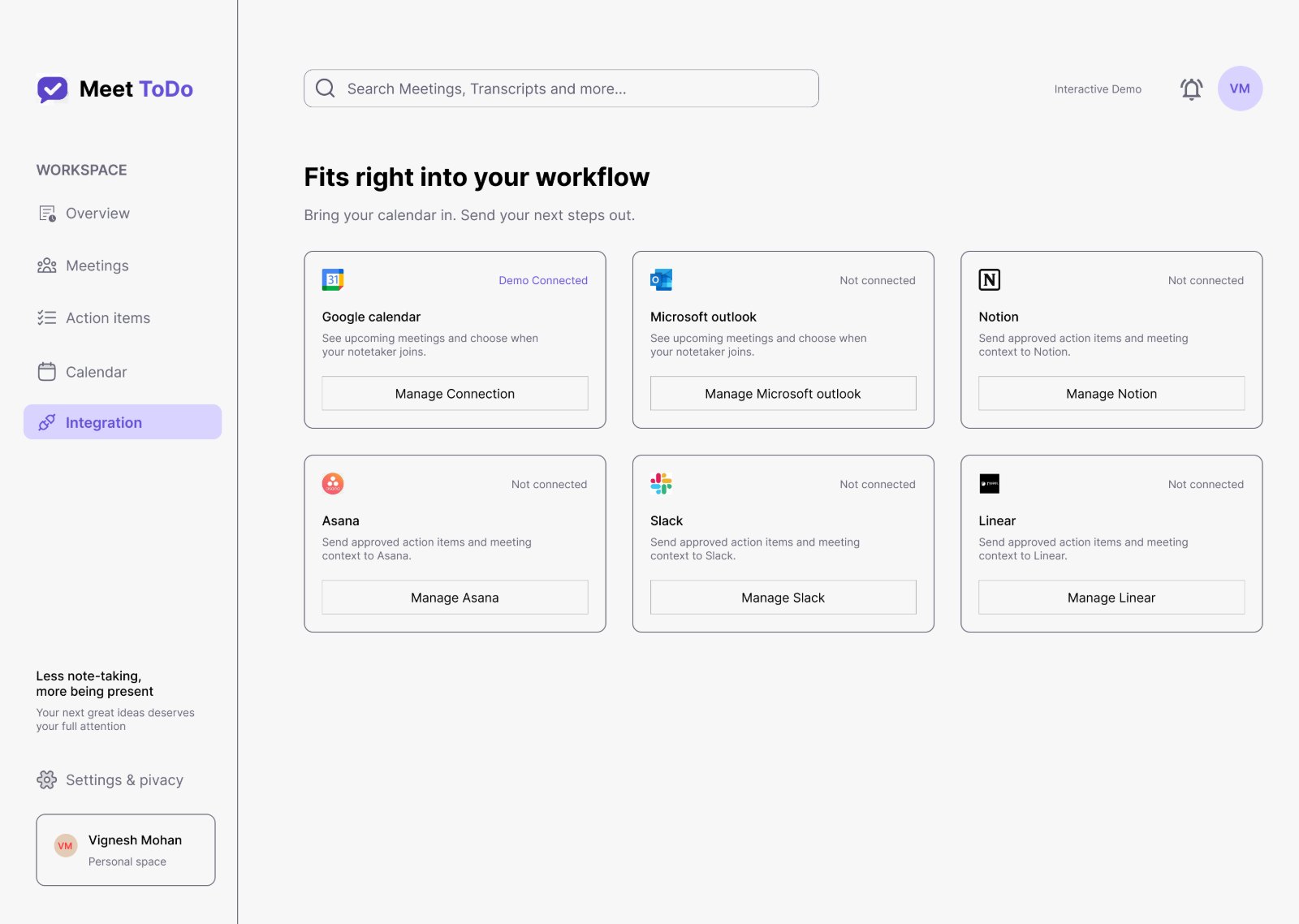
Defer autonomous attendance across every platform, advanced analytics, team performance scoring and automatic outbound messages. The demo shows several integration choices to illustrate the concept; a production MVP should validate one end-to-end integration first.
Proposed production rules — only a subset is demonstrated in the current local prototype.
A potential north-star measure: meetings that produce at least one reviewed, owner-confirmed follow-up — balanced against incorrect assignments, abandoned reviews and unnecessary tasks.
Business hypotheses, not results: if users can hand over accurate tasks with less effort, teams may return more often and consider paid workspace features. Revenue, conversion, retention and time savings have not been measured. “Time reclaimed” on the dashboard is a decorative sample metric and should be removed until there is a defensible baseline.
Seven areas, one source of truth
Meeting detail is a child of the archive and can also be reached directly from the dashboard or a task’s source link. “Workspace setup” groups Integrations and Settings, which the prototype displays separately.
A meeting can finish processing while its recap still needs review. A reviewed recap can contain a task that is not yet accepted. These states should not collapse into a single green badge.
Search should return only records the user is authorised to view, show whether the match is in a title, transcript or decision with a short excerpt and direct link, and retain filter context when the user returns from a meeting.
Review a recap and turn it into work
Scenario: Aoife wants to confirm a release decision and prepare the resulting action for the team’s task tool.
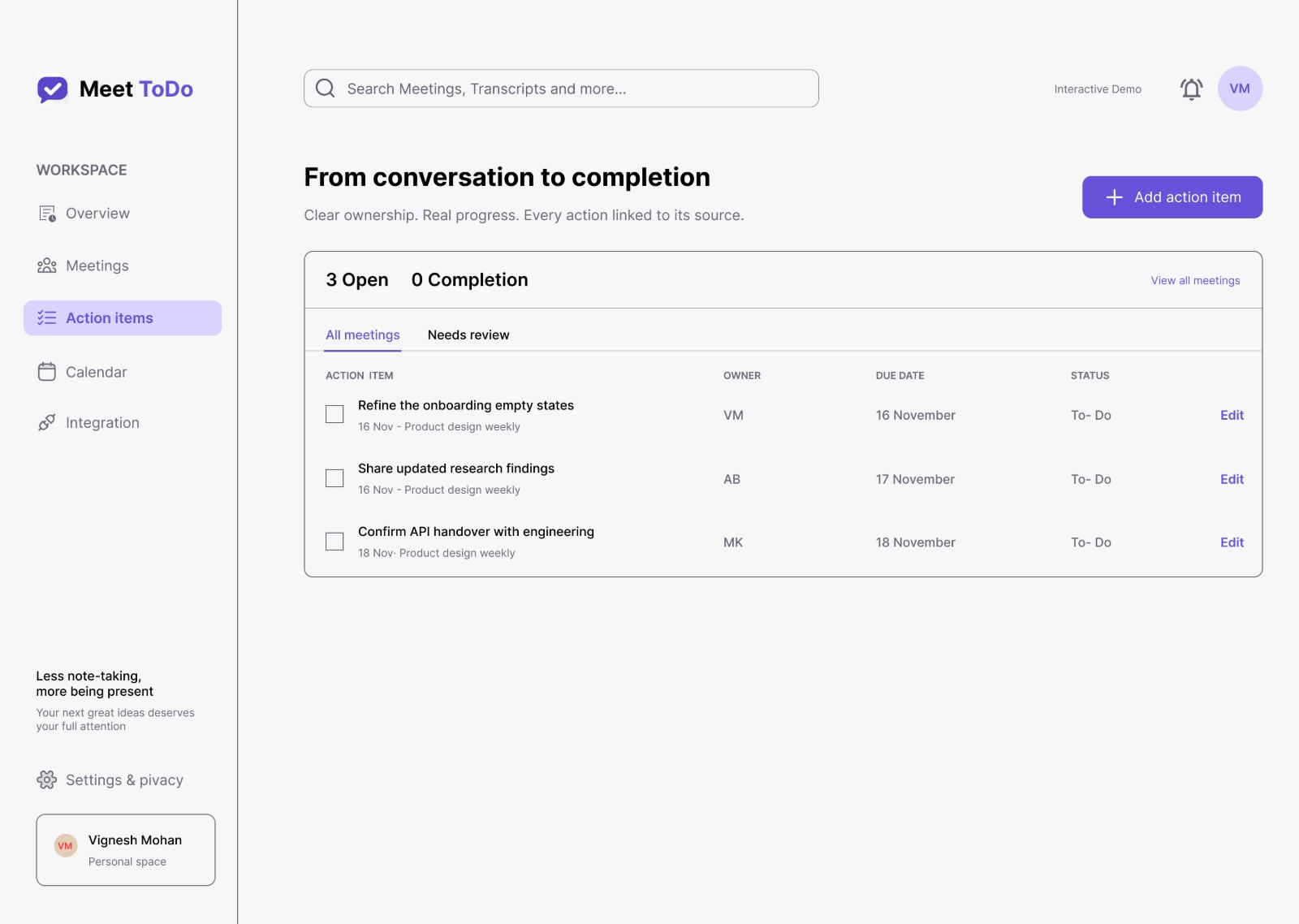
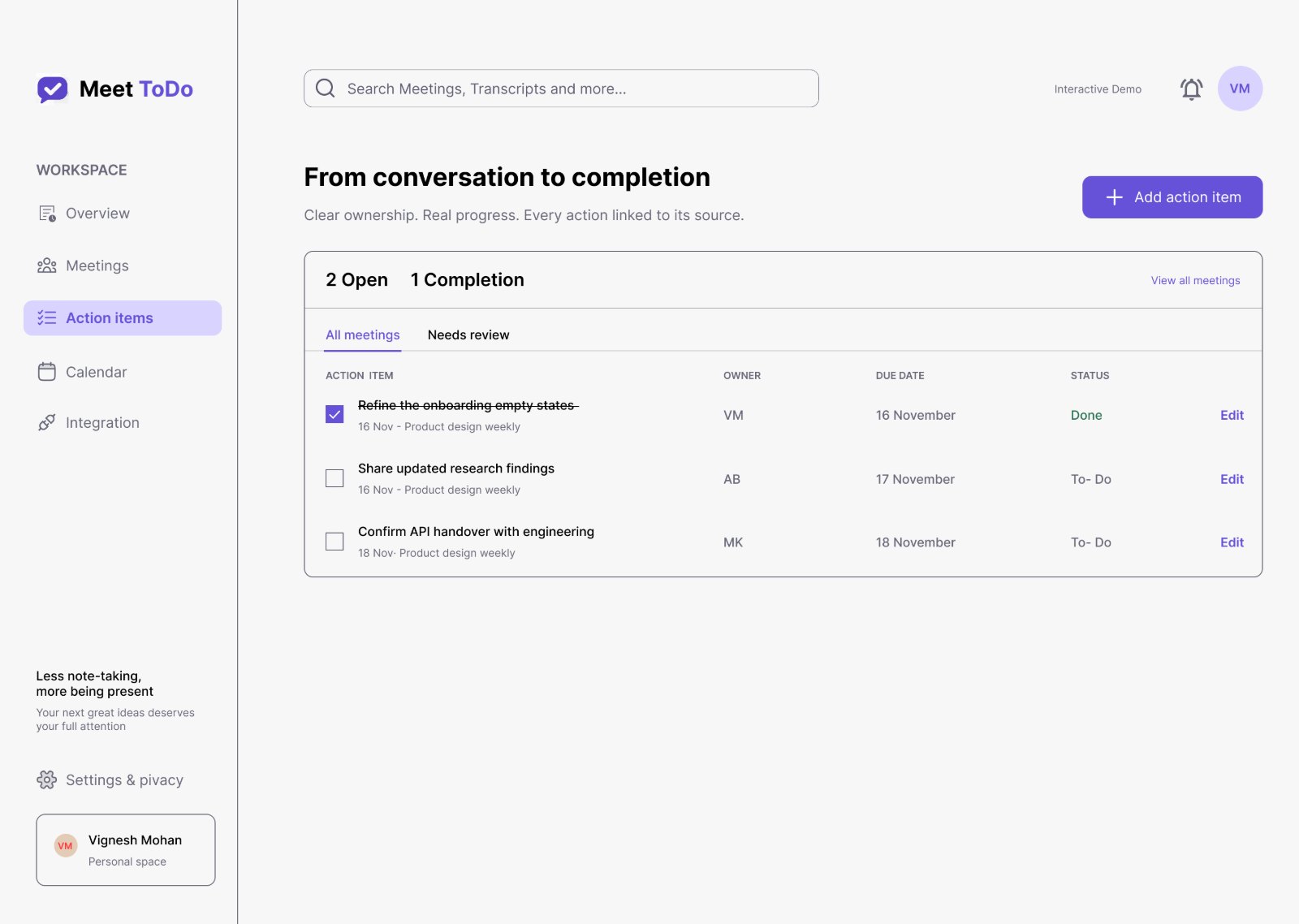
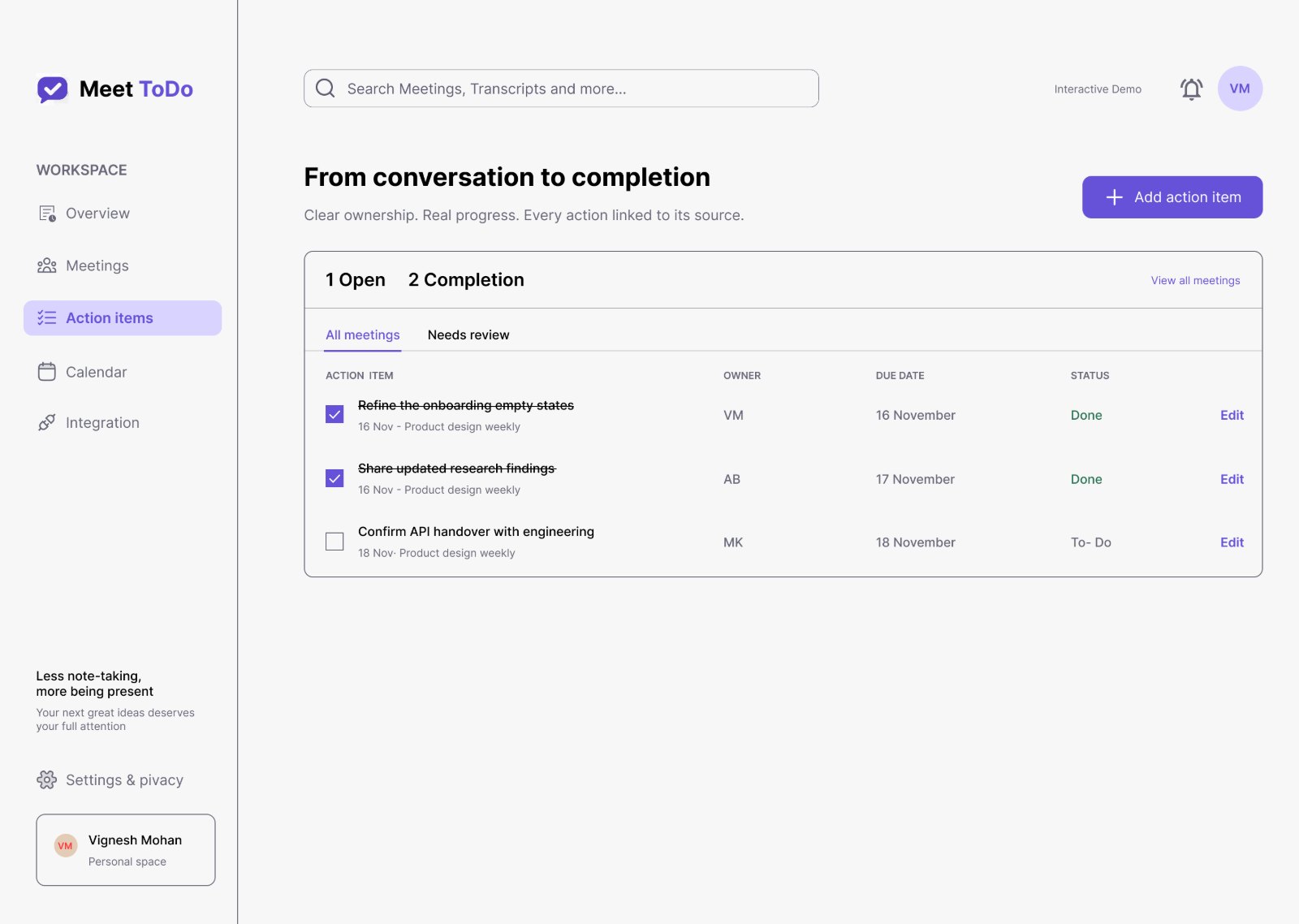
The prototype demonstrates the seeded correction, recap approval, editable task fields and a simulated export. Clarification requests, separate owner acceptance, real delivery and retry handling are proposed extensions.
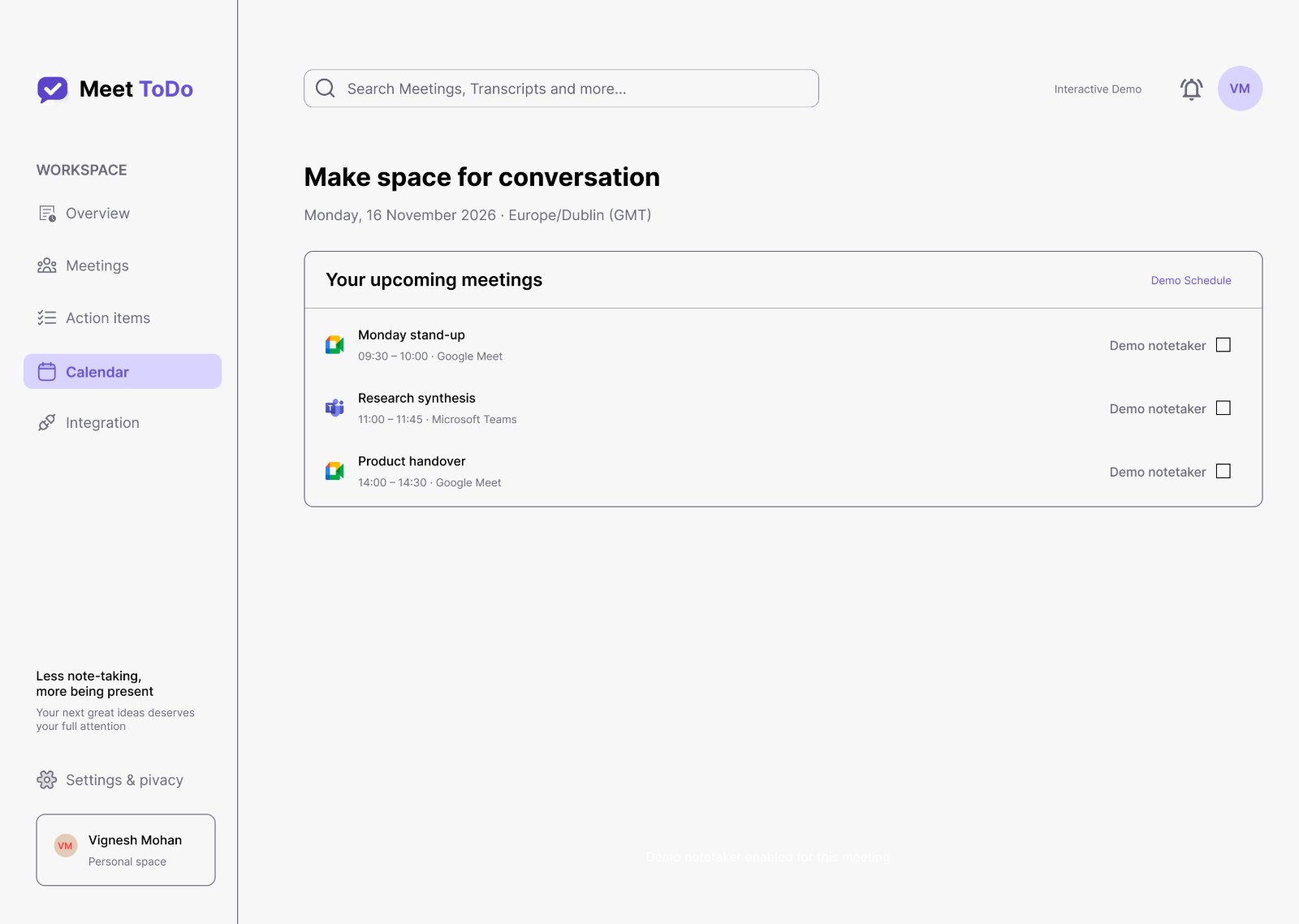
The existing recording experience is scripted and accesses no microphone. Processing, permissions and manual notes need further implementation.
The sample archive supports basic search and team filtering. Match excerpts, date filtering, permission enforcement and full query restoration are proposed improvements.
A proposed flow that prevents users assuming an edited recap automatically changed a task in another tool.
The workspace, screen by screen
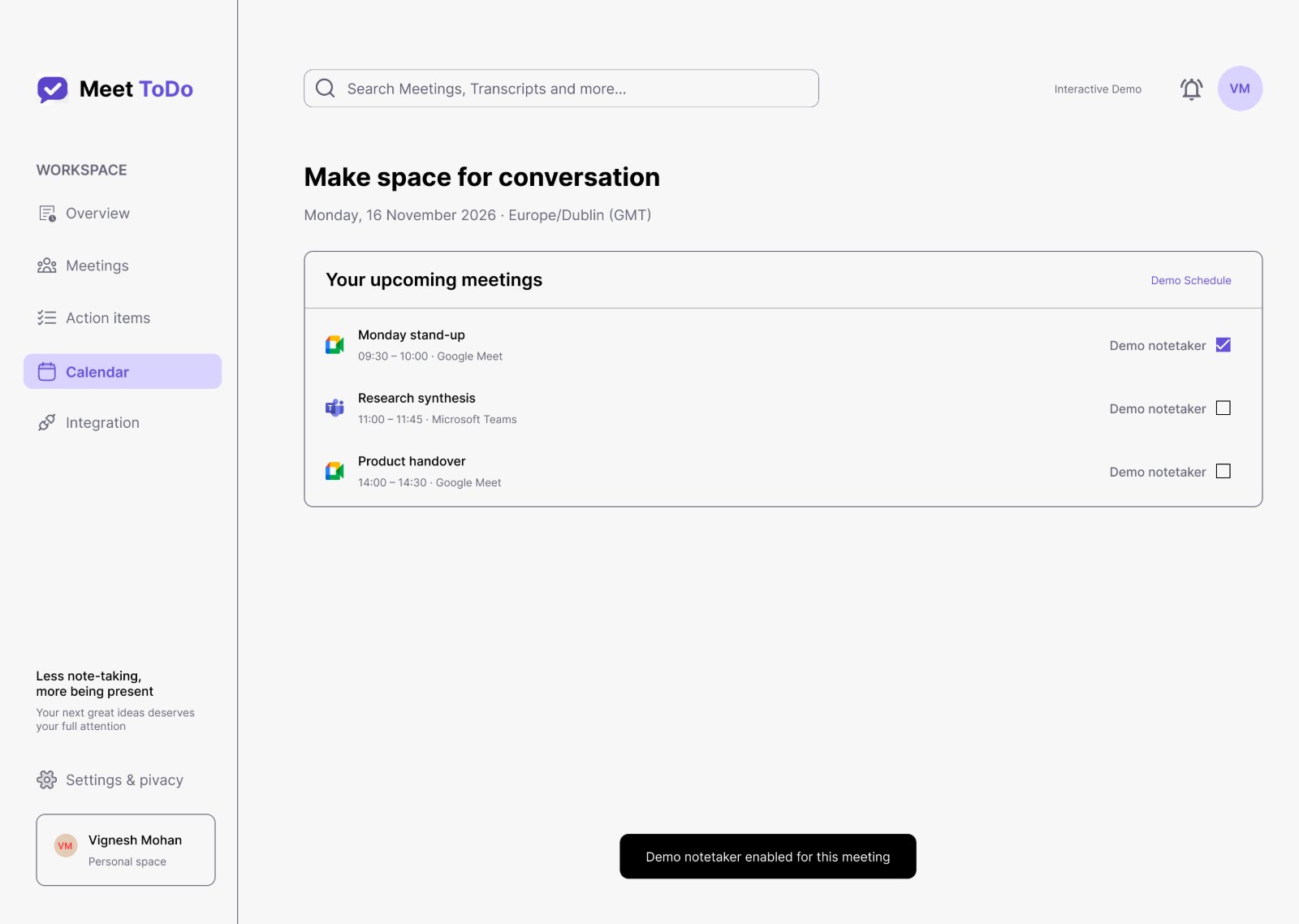
Nine screens from the interactive prototype: the overview, the meeting archive and review workspace, action items moving to done, the calendar notetaker toggle, and integrations.
Next milestone: validation, not more screens
The project demonstrates a coherent meeting dashboard and a reviewable route from AI-generated notes to editable actions. Its strongest story is the treatment of uncertainty and recovery, supported by clear information hierarchy and connected meeting/task context.
Next: conduct the interviews, run the survey, replace the fictional personas with evidence-backed ones, and test the correction flow with real participants — then refine around observed comprehension errors and measure whether accurate handover improves over the existing workflow.
I designed and prototyped a meeting-to-task workflow, researched existing products, and developed a primary-research and usability-testing plan. The current survey examples and personas are hypothetical.
View full prototype ↗Official documentation and guidance consulted on 16 November 2026. No absence of a feature is inferred solely because a page does not mention it.